How to share a trip plan with friends (without forcing an app download)
You have spent hours putting together a trip. Flights are booked, hotels are sorted, and you have a day-by-day plan that actually makes sense. Now you need to share the trip plan with everyone coming with you. This is where things usually fall apart.
You could screenshot your spreadsheet and send it to the group chat. You could paste a Google Sheets link and hope everyone reads it. You could try one of those trip planning apps that require everyone to create an account. None of these are great.
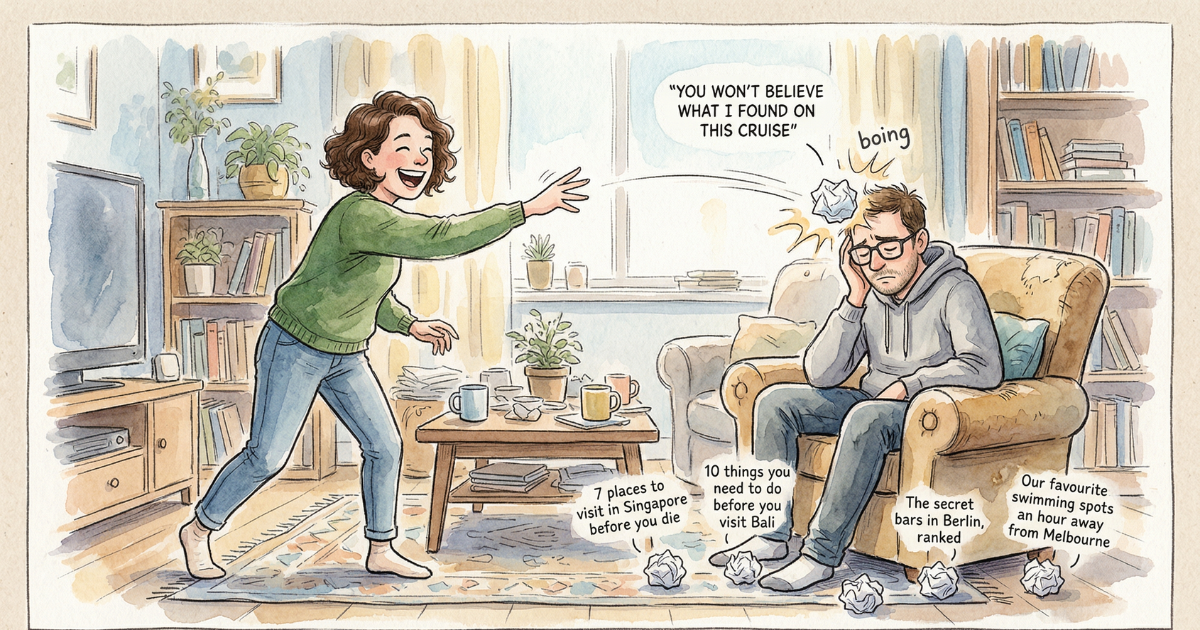
How most people share trip plans today
Think about the last group trip you went on. How did the itinerary get communicated? For most people it is one of these:
A screenshot of a spreadsheet in the group chat. It looks terrible on a phone screen. Someone asks a question about day three, and the planner has to scroll back up, find the screenshot, zoom in, read the answer, and type it out. The screenshot is already outdated by the time it is sent because the planner changed the dinner reservation an hour ago.
A shared Google Sheet or Google Doc. Better, but it requires everyone to open a link, navigate a spreadsheet they did not design, and understand whatever colour-coding system the planner invented. Half the group never opens it. The other half opens it once and never looks at it again.
A trip planning app that wants everyone to sign up. This is the one that kills me. You find a decent app, spend time building your itinerary in it, and then when you want to share it with your partner or your friends, the app says they need to download it and create an account. You know they will not do that. So you end up back at the screenshot method.
I have been through all three of these. They all fail for the same reason: they put friction between the person who planned the trip and the people who need to see the plan. The planner did the hard work already. Sharing should be the easy part.
Share a trip itinerary with one link
ryokko is building sharing around a simple idea: one link, no signup. When your plan is ready, you will be able to generate a share link. That is it. Anyone with the link can see your full itinerary in a clean, read-only view. No account needed. No app download. It just works in a browser.
Your friends get everything they need:
- Day-by-day schedule with times and locations
- Flight and hotel details with booking references
- Places you have saved and activities you have planned
- A map view so they can see where everything is
Drop the link in your group chat and everyone is on the same page in seconds. The person who never opens links can have it read out to them. The person who is obsessive about plans can bookmark it and check it daily. Nobody has to install anything.
What the shared view looks like
The share link opens a web page that looks good on any device. On a phone, it is a scrollable itinerary with each day broken out. On a laptop, it includes a map panel alongside the day schedule. The design is the same as what the planner sees, minus the editing controls.
We built it to generate a good link preview in iMessage, WhatsApp, Telegram, and other messaging apps. When you paste the link in a group chat, it shows the trip name, the destination, and the dates right in the preview card. Your friends see what it is without having to tap on it.
If someone in the group has a question about a specific day or booking, they can see the details right there. No more back-and-forth asking what time the check-in is or which terminal the flight leaves from.
What stays private
You control what gets shared. The share link shows the itinerary, but your personal notes, cost breakdowns, and any details you have not explicitly added to the plan stay private. Sharing does not mean giving up control over your trip data.
A lot of trip planning apps that have sharing features default to sharing everything. Your budget notes, your internal comments, your to-do list. We did not want that. ryokko will let you share the itinerary view, which is the part other people actually need. Everything else stays in your own workspace.
The link stays current
The share link is not a static snapshot. When you update your plan in ryokko, everyone with the link sees the latest version automatically. Change a restaurant reservation or swap a day around, and your friends see the update next time they open the link.
That is what makes it better than sending a screenshot or a PDF. You send the link once. When you change something, the link already has the new version. No need to re-send anything or post a “hey check the updated plan” message in the group chat.
Compare this to how Google Docs handles it: technically the doc is always up to date too, but your friends have to open it, find the relevant section, and interpret your formatting. With a ryokko share link, the day-by-day breakdown is already done for them.
What about PDF exports?
Some people prefer a printed itinerary. Fair enough. ryokko will also let you export your trip as a clean PDF that you can print or save to your phone. This is useful for flights where you want to have everything accessible without internet, or for handing a paper copy to someone who is not going to check a link.
The PDF is a snapshot though. Once you print it, it does not update. Use the share link for the plan that keeps changing. Use the PDF for the backup you keep in your bag.
How to share your ryokko itinerary
The sharing flow is straightforward:
- Build your travel itinerary in ryokko
- Tap Share and copy the generated link
- Paste the link in your group chat, email, or wherever your group communicates
- Your friends open it in a browser and see the full itinerary, no login required
That is it. No app download, no account creation, no signup wall. The whole point of a group trip planner is that the group can actually see the plan.
How ryokko sharing compares
There are basically four ways people share trip plans right now. Screenshots are fast to send but look awful on a phone and go stale immediately. Google Sheets stays up to date but nobody wants to navigate someone else's spreadsheet on a tiny screen. Trip planning apps like Wanderlog or TripIt have better interfaces, but they want your friends to download the app and create an account, which your friends will not do.
ryokko takes a different approach. The share link is readable on any device, always has the latest version, and does not require anyone to sign up or install anything. It shows the travel itinerary in a format that was designed for reading, not editing.
Share your trip plan without the friction
ryokko is in active development. If you are tired of reformatting your plans just so other people can read them, join the waitlist and be the first to try it.
You might also like: saving places from TikTok to your trip and why travel planning shouldn't feel like data entry.